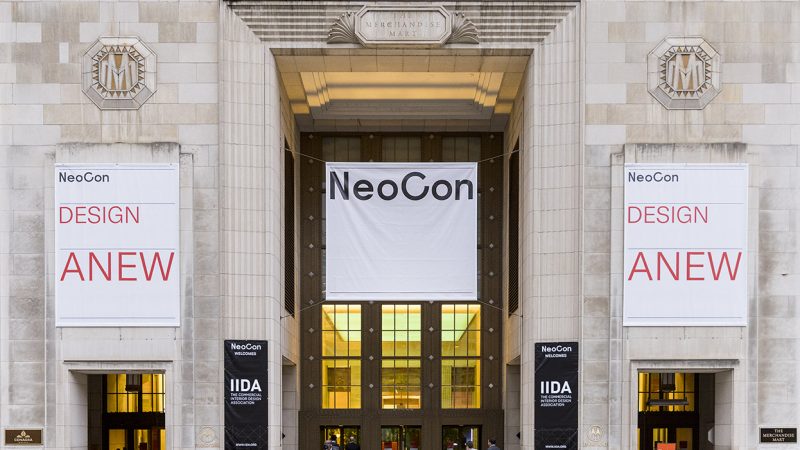
NeoCon 2025: Smart office desk systems with integrated charging
NeoCon 2025 in Chicago showcased a broader shift in contract furniture: the desk is becoming active workplace infrastructure. Height-adjustable frames, touch controls, sensors and charging modules are being presented as one coordinated system rather than separate accessories added after the workstation is chosen. The result promises cleaner desktops, easier power access and fewer interruptions in hybrid offices.
That integration matters because charging has outgrown the power outlet. A laptop, phone, headset and portable battery now compete for space at the same time that workers expect to move between seated meetings and standing focus sessions. A connected desk can gather those needs into a stable horizontal zone, but only when its power electronics, cable routes and software work together.
For Australian offices, the case is especially practical. Sydney and Melbourne workplaces commonly combine hot-desking with compact meeting rooms, while Brisbane teams operate in a warmer climate and rely heavily on air-conditioned interiors. Local furniture buyers also have access to a mature market for ergonomic seating and commercial desks, making power functionality another differentiator rather than a substitute for fit, stability and service.
The strongest NeoCon examples deserve more attention than the number of ports printed on a specification sheet. They can solve daily friction while preserving the clean visual language expected in premium workplaces. They also raise practical questions about Australian voltage, certification, installation, data privacy and long-term support—the areas that determine whether a sophisticated workstation becomes useful equipment or an expensive novelty.
Why charging has become a design problem
Integrated charging addresses a familiar form of workplace clutter: the tangle of charger bricks, short cables and adapters beneath or behind a desk. A recessed USB hub, wireless charging pad and controlled cable tray keep frequently used connections within reach. When the desk rises, those components travel with the worktop, allowing equipment to remain positioned instead of being unplugged at every height change.
The benefit is behavioural as well as visual. Easy access can encourage people to place a phone on a designated pad rather than beside a keyboard, where spills and impacts are more likely. Fewer loose leads also simplify cleaning and visual maintenance. Yet tidiness has value only if charging is fast, compatible and protected; a decorative port hidden in an awkward tray merely moves the problem rather than solving it.
The anatomy of a connected workstation
A well-developed system begins with the sit-stand frame. Dual-motor lifting, a wide working range, memory presets and anti-collision sensing provide the mechanical foundation. Electronics should be secured to the moving structure without restricting travel, while the control unit needs enough capacity for every connected device without producing fan noise or excessive heat.
Power is then distributed through a fixed module or cable-management tray. This may include USB-A ports for existing peripherals, USB-C Power Delivery for modern laptops and phones, an AC outlet for larger equipment, and a wireless charging surface. The routing must allow the worktop to rise and lower smoothly without pulling tightly against connectors or creating a trip hazard.
Smart controls can add presence detection, occupancy prompts, charging status lights and configuration through an app or Bluetooth. Such features can improve convenience, but they also create maintenance and privacy obligations. Buyers should understand what the sensors measure, whether usage data leaves the building, how firmware is updated and whether basic functions continue if the app or network connection becomes unavailable.
The design direction visible at NeoCon 2025
The clearest direction at the Chicago event was the quiet disappearance of charging hardware. Sockets, transformers and cables that once sat openly on the desktop are being recessed into furniture, hidden beneath lifting tops or incorporated into narrow media rails. Status indicators are becoming more restrained, while designers preserve enough access for maintenance rather than creating a sealed electronic compartment.
| System approach |
Charging provision |
Smart functions |
Installation |
Best suited to |
Main limitation |
| Basic sit-stand desk with plug-in charger |
Usually one or two USB-A ports |
Electronic height controls and presets |
Simple plug-in setup |
Occasional individual use |
Adapters, shared power and loose cables remain |
| Retrofit power and cable module |
Replaceable USB-A, USB-C or AC options |
Usually limited to basic desk controls |
Clipped or tray-mounted installation |
Existing furniture refreshes |
Added weight, capacity and cable reach |
| Integrated smart charging desk |
USB-C PD, wireless charging and AC power |
Touch controls, indicators and optional sensors |
Fixed module with some hardwired options |
Frequent hot-desking and team areas |
Professional installation may be required |
| Connected premium workstation |
Concealed multi-device hub and managed cable route |
Presence sensing, configurable lighting and digital controls |
Commissioned installation |
Design-led corporate and hospitality spaces |
Higher cost, electronics and firmware dependence |
This progression shows that more ports do not automatically create a better workstation. A retrofit module may suit an existing desk, while a fully integrated system is more convincing when charging, cable management and height adjustment are designed as one mechanism. Premium features should improve routine use rather than merely appear on a product presentation.
Matching power to real work routines
Power ratings are easy to quote but easy to misunderstand. USB-C Power Delivery negotiates the voltage and current supported by both the port and the connected device. A 65-watt outlet may handle many ultraportable laptops and phones, while a 100-watt option provides more headroom for demanding notebooks. Buyers should compare the desk’s total output and any shared power budget, then confirm that the supplied or recommended cables support the intended charging rate.
Wireless charging offers a cleaner focal point but has different constraints. Qi and Qi2 systems depend on correct alignment, and a thick case, metal plate or magnetic mount can reduce reliability or heat. Wireless pads are primarily suitable for phones and selected accessories, not laptops. An AC outlet can cover equipment that does not use USB, but its rating, earthing requirements and protection against overload must be clear.
Ergonomics remain essential even when the feature list is extensive. Frequently used sockets should be reachable from both seated and standing positions without pulling the body across the worktop. The charging module needs ventilation, secure strain relief and enough capacity for the frame’s moving parts. Anti-collision controls, stable lift performance and easy cleaning can influence daily comfort more strongly than an extra status light.
Australian conditions and buying realities
Australian desks normally connect to 230-volt mains power through Type I outlets. An overseas unit described as “universal input” still requires a suitable Australian power supply and evidence of applicable electrical safety and electromagnetic-compatibility compliance, including Regulatory Compliance Mark registration where required. Integrated mains wiring may need installation or inspection by a licensed electrician, so hardwired convenience can carry additional setup costs.
Climate also affects the value of a sealed charging module. Summer heat in Sydney and Melbourne can raise component temperatures, while Brisbane’s warm conditions make heat management and reliable cooling even more relevant. Spilled drinks, humid hands and frequent surface cleaning are ordinary realities in shared offices. A removable pad or accessible service hatch may therefore be more useful than the tightest possible enclosure.
Imported desks can attract GST and, depending on their origin and classification, customs duty. Freight, local assembly, replacement parts and return shipping should all be included in the ownership calculation. If a premium workstation is being presented as a long-term productivity investment, apply the discipline associated with forex trading factors: test the claims, identify hidden dependencies and be explicit about the downside rather than relying on presentation language alone.
A practical showroom and specification checklist
Before approving a desk for a workplace project, request complete electrical and mechanical information rather than a short feature summary. The supplier should identify what is included and what must be purchased separately.
- Confirm USB output ratings, shared power limits, AC outlet ratings and supported wireless-charging standards.
- Check Australian compliance records, warranty coverage, replacement-part availability and expected firmware support.
- Establish whether installation, freight, GST, electrical work and future repairs are included in the quoted price.
- Compare the combined desktop, frame and charging-system weight against the manufacturer’s load limits.
A hands-on assessment should reproduce normal work rather than a scripted demonstration. Staff need to test the desk with their actual devices and in the positions they use throughout the day.
- Raise and lower the loaded worktop while cables are connected, checking movement, noise and anti-collision response.
- Charge the intended laptop, phone and accessories long enough to verify speed and stability.
- Check that controls and frequently used ports remain comfortable and visible in seated and standing positions.
- Review app permissions, data retention, account requirements and manual-operation options before connecting the desk to a workplace network.
Build charging into the workplace decision
The most successful smart desks will not be defined by the largest hub or the most visible screen. They will combine stable height adjustment, useful charging, restrained cable management, repairable components and controls that employees can understand without training. For Australian buyers, those qualities matter more than a long list of functions designed for a global launch environment.
Specify integrated charging in your next workplace brief: define protocols, power capacity, cable routes, local compliance, repair terms and a live demonstration with real devices. That clarity will turn the strongest ideas from NeoCon 2025 into durable Australian workplace equipment rather than another layer of hidden sockets and charging clutter.