Standing desk converters evolve with wireless charging
Standing desk converters have progressed from a simple crank-operated platform into a compact workstation that can raise a keyboard, store accessories and manage cables. That evolution is closely tied to the way people work in Australia: the kitchen bench becomes an office for one part of the week, a spare room handles paperwork after hours, and a shared study table must still serve homework, meals and video calls. Furniture designed for constant change now has to do more than move vertically.
The newest addition is wireless charging built into the work surface, replacing the separate charging pad that once occupied the corner of the desk. When the phone, headphones or compatible accessory settles onto the designated zone, power is delivered without another cable crossing the workspace. This useful idea depends on careful industrial design, though. Coils must clear the phone, heat needs somewhere to go, and a desk that wobbles or creaks at full height cannot compensate for a convenient charger.
From simple risers to integrated work platforms
Early desktop risers used a scissor mechanism or a hand crank to raise a platform above an ordinary desk. They offered a quick way to alternate between sitting and standing, but they tended to be visually utilitarian, limited in adjustment and dependent on a stable base. Some developed a second tier for a monitor, turning the riser into a miniature architectural arrangement of screens, keyboard and desktop.
Electric dual-motor frames later brought smoother, quieter and more repeatable height changes, usually in full-size workstations. Converter models adapted that technology to existing furniture, with push-button controls, a lifting column and an integrated keyboard tray. The Australian market now includes compact units aimed at apartment living, as well as heavier frames for studios and small businesses that need to reconfigure a room quickly.
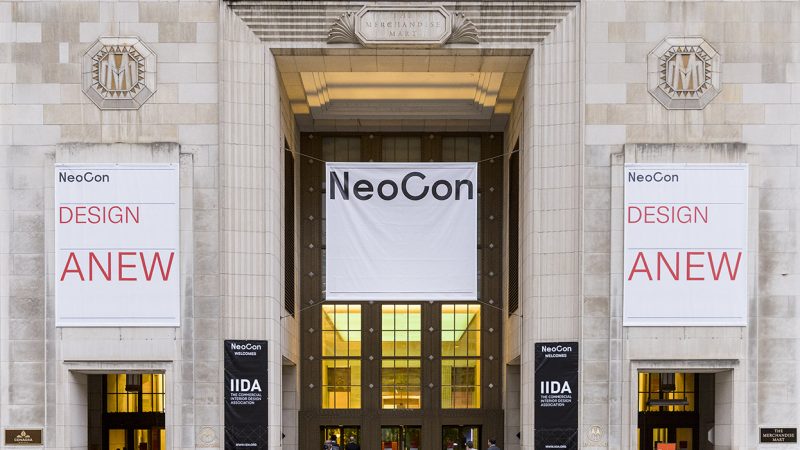
That broader shift has been visible at international design gatherings such as NeoCon and Salone del Mobile, where the desk is increasingly presented as an adaptable piece of domestic infrastructure rather than a specialist office machine. Materials, cable routing, drawers and charging are becoming coordinated parts of one product. The interest is not simply in a higher screen; it is in reducing visual clutter while preserving a comfortable relationship between the user, the device and the room.
Charging shifts from accessory to furniture
Integrating a coil into a desktop changes the product from furniture plus electronics into a powered object with a user interface. The charging area may sit behind the keyboard, on a raised shelf or on a projecting phone platform. USB-C power can feed the wireless charger, data ports and a pass-through charging lead, while internal channels conceal wiring and prevent the raised section from pulling on connectors.
Compatibility is the first practical issue. Qi remains the broad baseline, while Qi2 improves magnetic alignment for compatible devices; Apple users will also need to confirm MagSafe support rather than assume that every Qi2 product behaves identically. A useful specification should state the supported protocol, maximum output and whether a power adapter is included. Headline wattage is only part of the story, because the phone, case, temperature and charger all affect the rate.
Physical design matters just as much. Thick cases, metal cards and misaligned magnets can interrupt charging, while sustained heat can reduce performance or trigger protective shutdown. Some products place the receiver on a tilting tray or add a small shelf to keep the phone visible during calls. Others keep the coil flush with the surface for a calmer aesthetic. The best examples make charging obvious without making the desk resemble a charging pad.
Australian rooms create a demanding brief
Australian housing creates a particularly varied test environment. Many workers in Sydney, Melbourne, Brisbane, Adelaide and Canberra use compact apartments, terrace houses or rented rooms where floor space is shared and drilling may not be an option. A desktop converter therefore needs a modest footprint, enough clearance for a monitor and a broad, stable base that does not mark a table. Its controls should be reachable without adding another cable to the floor.
Everyday habits also influence the brief. Hybrid workers often alternate between a laptop at the dining table, a monitor at a study desk and a borrowed screen in a coworking space. Equipment that packs down or moves easily is valuable, but a portable model should not be so light that it drifts when a user types. A drawer, device shelf or concealed charging bay can keep a small work area orderly without turning it into permanent office joinery.
Climate, electrical standards and workplace rules add local constraints. Sydney and Melbourne summers can heat a closed room, while Brisbane combines warmth, humidity and strong sun; a heat-sensitive charger needs ventilation and a surface that does not trap warmth near the phone. Australian mains power is 230 volts and many homes use Type I plugs, so an included adapter or clearly stated power requirements matter. Powered products sold locally should come through an RCM-compliant channel, and commercial cabling must meet applicable state and workplace requirements.
Comparing the main standing desk formats
A converter should first be judged as a piece of furniture and only then as a charging station. The comparison below isolates the main choices, from a basic hand-powered riser to a full electric platform. It is a practical guide rather than a product ranking, since the right format depends on the surface, the user and how often the height will change.
| Format |
Height control |
Power and charging |
Best suited to |
Main limitation |
| Manual desktop riser |
Crank, lever or gas-spring lift |
Usually no built-in power; charging pad sold separately |
Occasional standing use, minimal electronics and simple existing desks |
Slow or fixed increments, with limited keyboard and monitor support |
| Electric sit-stand converter |
Push-button motor with programmable limits |
Often USB-C and a USB hub; wireless charging on selected models |
Frequent changes over a conventional desk |
Higher cost, a power lead and electronic parts to service |
| Adjustable bench platform |
Full-height columns or lift frame |
Can integrate Qi2, MagSafe-compatible or USB-C charging |
A dedicated workstation used regularly |
Largest footprint and greatest assembly demand |
| Portable folding riser |
Compact lift or fixed-height folding structure |
Separate charger or a low-power internal pad |
Small homes, temporary setups and travel |
Less stability and carrying capacity than a fixed model |
For an Australian home office, an electric converter is often the sensible middle ground: it provides finer, faster adjustment while fitting on a table that cannot be replaced. A manual riser remains useful where the standing position is occasional, the budget is limited or avoiding mains power is important. A full platform deserves consideration in a studio or commercial fit-out, where daily movement and accessory storage justify a larger footprint.
The charging specification should be checked independently of the furniture specification. Look for current standards, foreign-object detection, thermal protection and clear idle-power behaviour. If the unit offers USB pass-through, confirm how many devices can charge at once and whether activating the desk alters the output. A single cable and a tidy back panel can still outperform a desk carrying several loose adapters.
Choose a converter around the way you work
Good design starts with the user’s movement, not the feature list. Before buying, measure the desk depth, the height of the monitor and the room needed to raise a platform while seated. Check that the unit is stable at every stop and can support a screen without flexing. The additional weight of a phone is minor, but a moving monitor arm can magnify vibration and make a lightweight structure feel unsafe.
Charging also needs to match the devices used each day. A permanently installed coil is convenient for one phone, while a removable charging puck or USB-C connection may serve a household with several devices. Workers who use a laptop, monitor, headset and phone will get more value from an integrated USB hub than from a second nominal charging feature.
- Prioritise stability and clearance. Check the loaded dimensions, monitor-arm compatibility and whether the keyboard tray remains level as the platform rises.
- Verify the charging standard. Look for Qi2 or clear MagSafe compatibility, thermal protection and foreign-object detection rather than relying on a generic “wireless” label.
- Plan the power path. Confirm whether the adapter is included, how the desk is plugged in and where USB-C leads can be routed without creating snags.
- Test controls and noise. A digital display, accessible presets and a quiet motor make frequent adjustments easier in a shared home.
- Buy for local support. Choose an RCM-compliant supplier with a clear warranty, replacement parts and a realistic return process in Australia.
Those checks keep the decision grounded in daily use. A converter that stays on the table for years, opens without special tools and can accept a replacement power supply is more sustainable than a feature-rich unit with a sealed control box. It also makes future device upgrades less disruptive, as new charging protocols and connector needs are more likely to change than the desk’s basic lifting action.
Bring charging into the daily routine
A standing desk converter with integrated charging works best when it becomes invisible in the routine. Set the preferred standing height, route the mains lead once, place the phone on its charging zone and use the rest of the surface for the task rather than for cable management. The result is not a gadget-heavy desk; it is a calmer piece of furniture that changes with the workday.
Explore the current range of height-adjustable converters, compare their lifting mechanisms and choose a model that meets Australian safety, power and support requirements. Make the switch to a workstation that rises when needed, stores what matters and keeps the device powered without adding another loose cable.